Designed and built by RAAIX. Free while we test it.
Measure the building on site. Draw it up with your client there and then. Hand over drawings nobody can misread. One app, from the first measure to the final fit.
How it works
One job. Concept to completion.
The survey, the design and the drawings the trades work from are one drawing. Change the room and everything that depends on it follows.
Survey
Measure once. Lock it in.
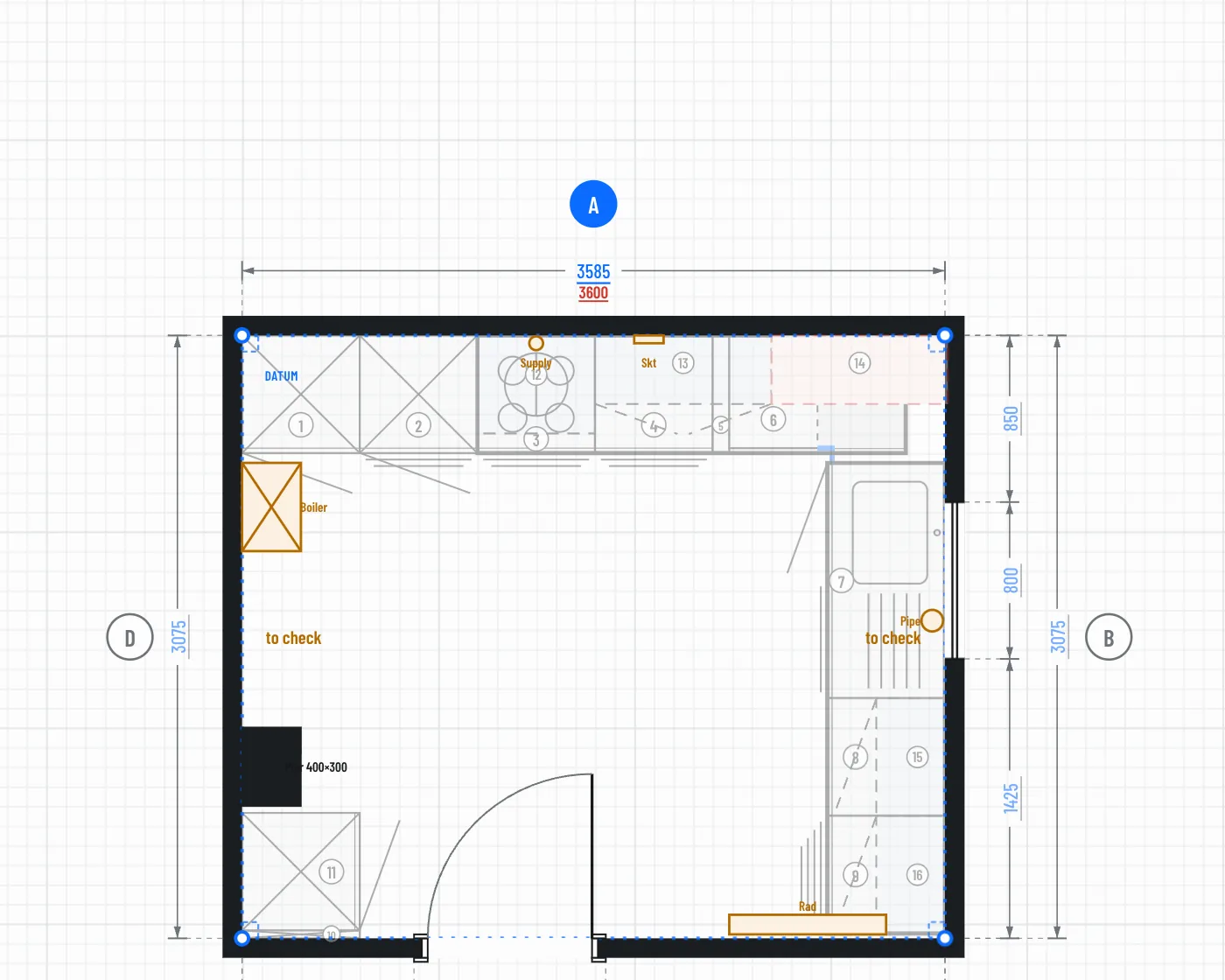
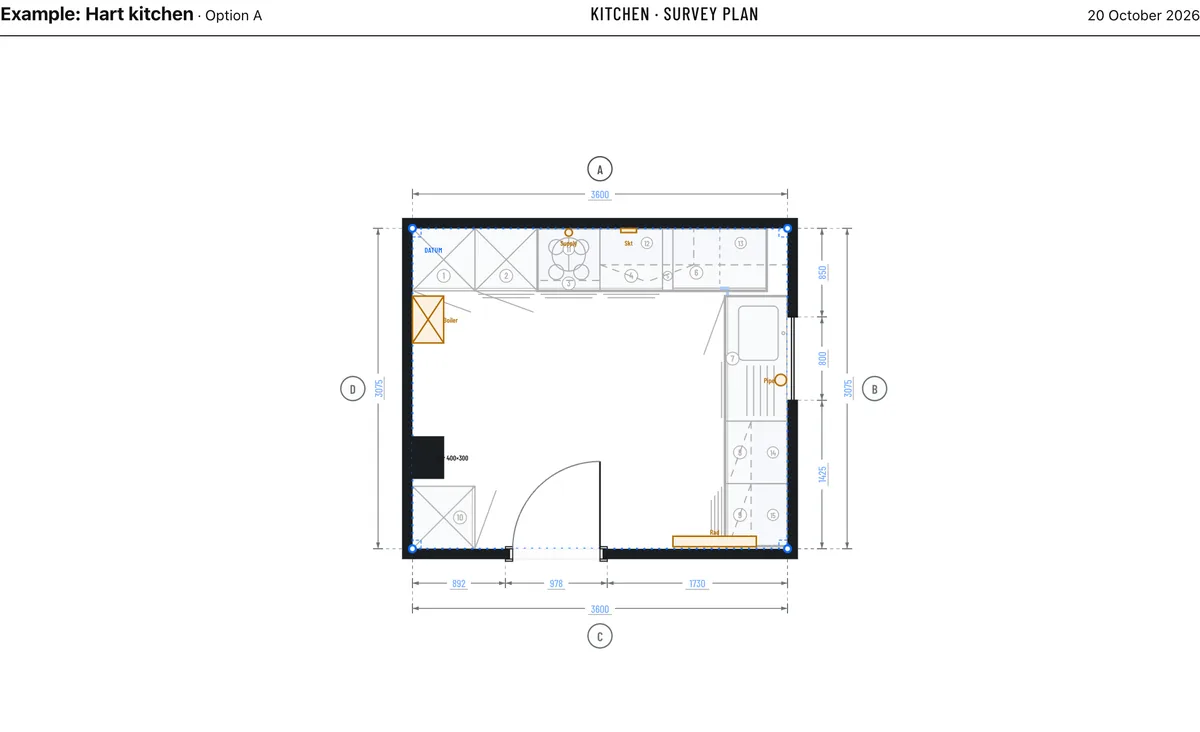
Draw the walls corner by corner and type each length as you measure it. Add diagonals to square it up. Every typed measurement locks, so a stray drag can't change it.
Then add what's on the walls: windows, doors, radiators, sockets, boiler, soil pipe, gas and water, piers, chimney breasts and beams. Room by room, until you have the whole floor, the garage and the garden.
Design
Design it with the client in the room.
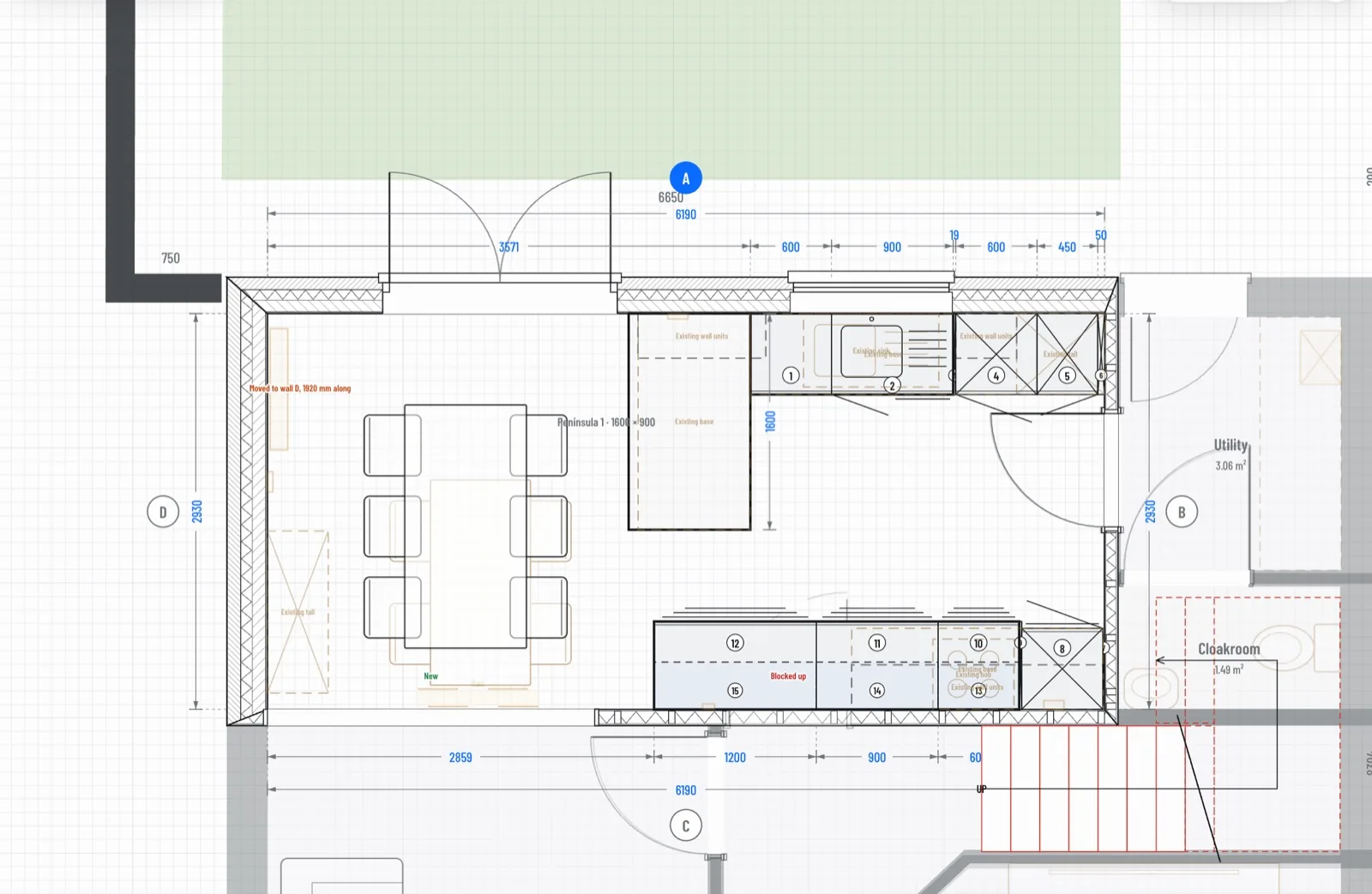
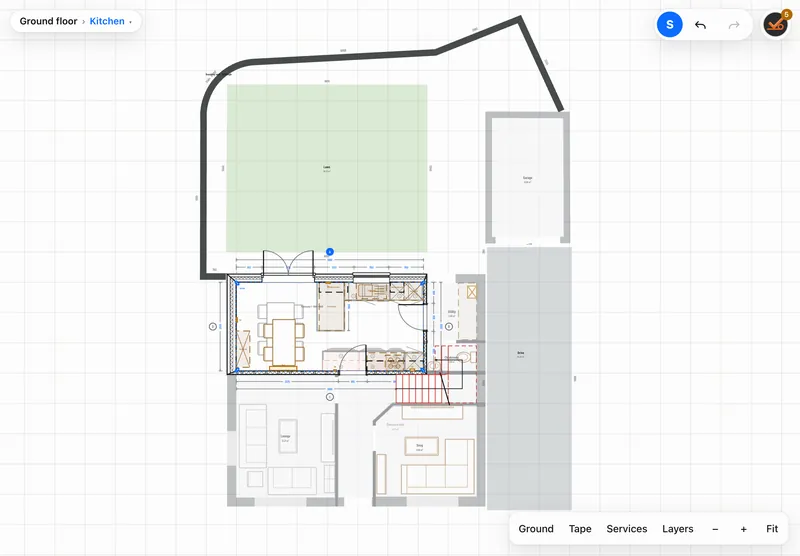
Draw the changes over the survey with the client watching: doors moved or blocked up, walls knocked through, new furniture against the old. Keep option A and option B side by side.
Designing a kitchen, bedroom or bathroom? Add units from a manufacturer's catalogue. Corner units sit where the brochure says, fillers fit the gap, and sizes stay within what can actually be ordered.
Elevations
Every wall, inside and out.
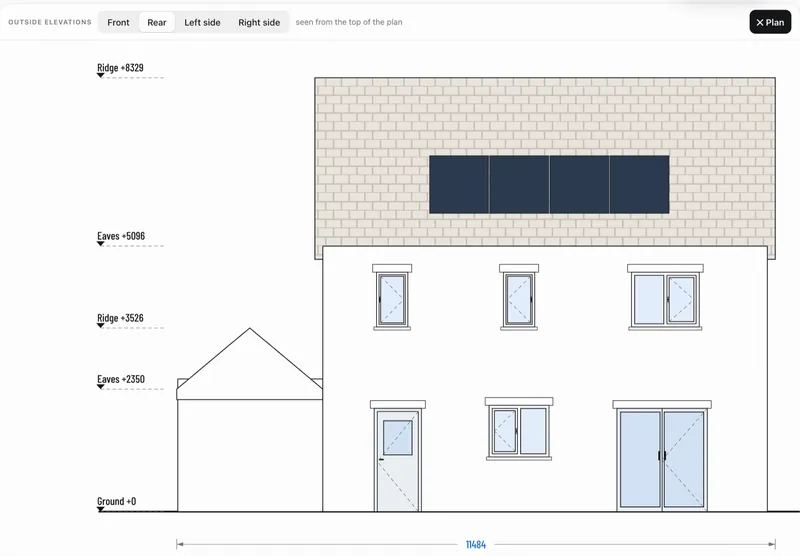
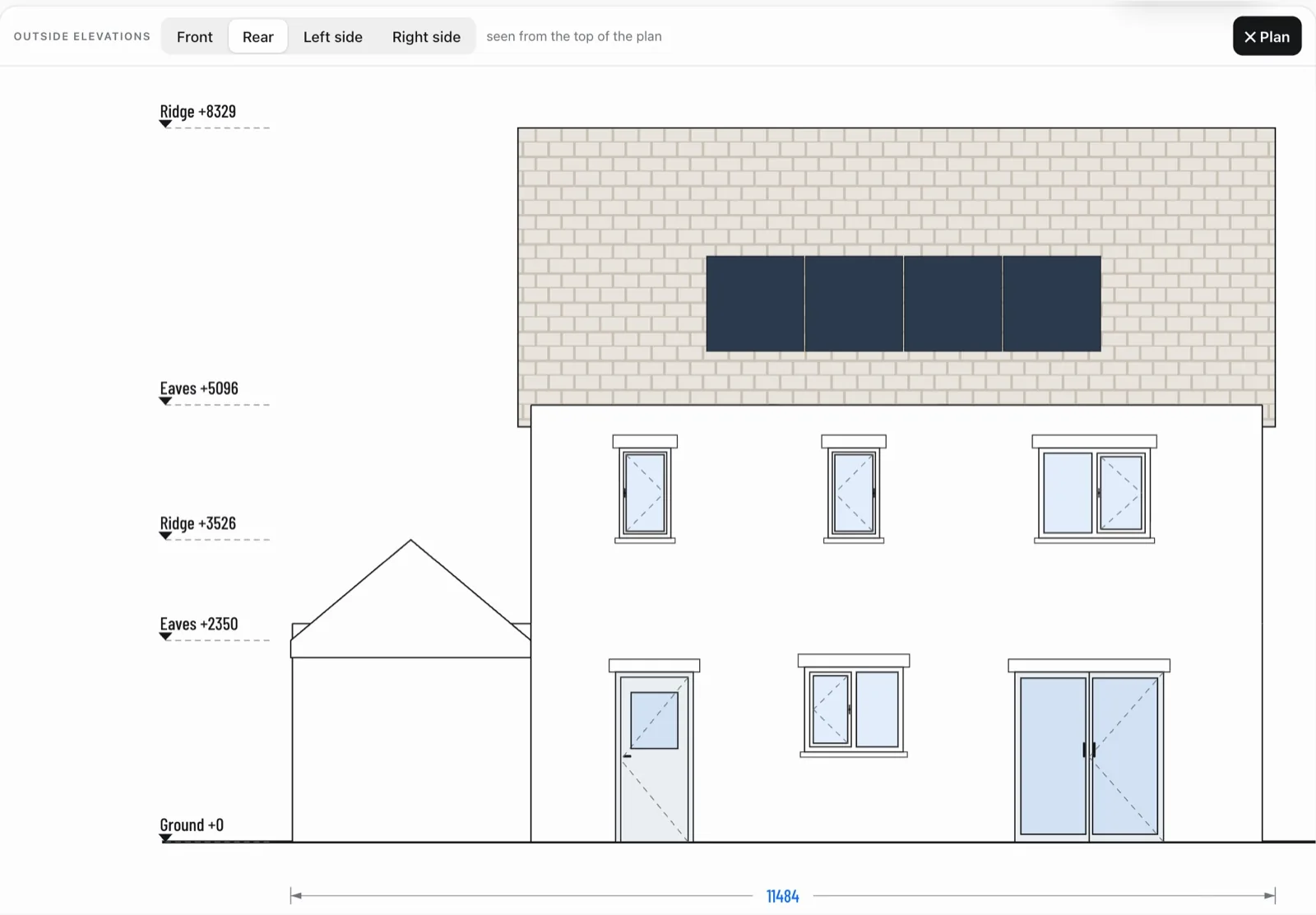
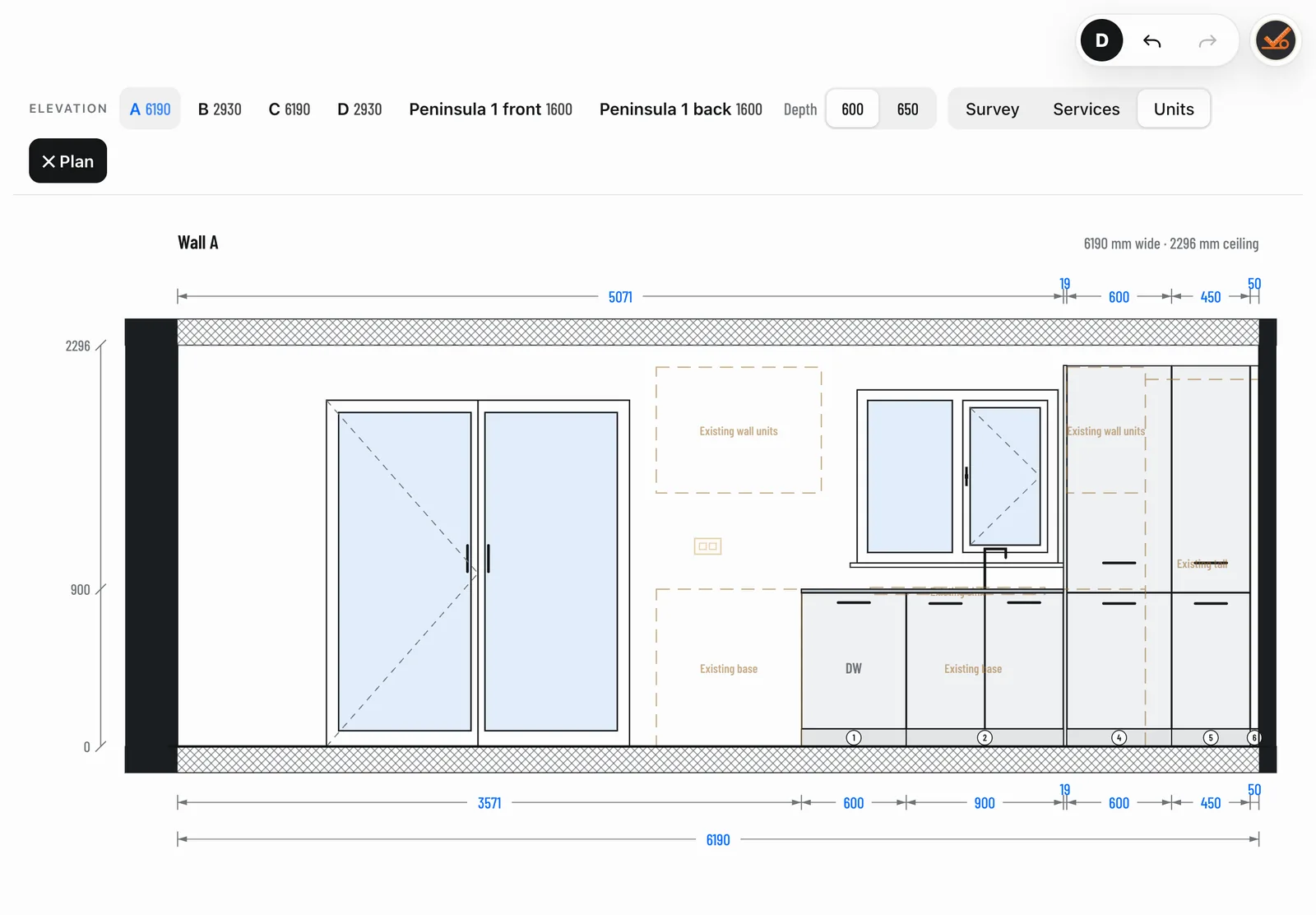
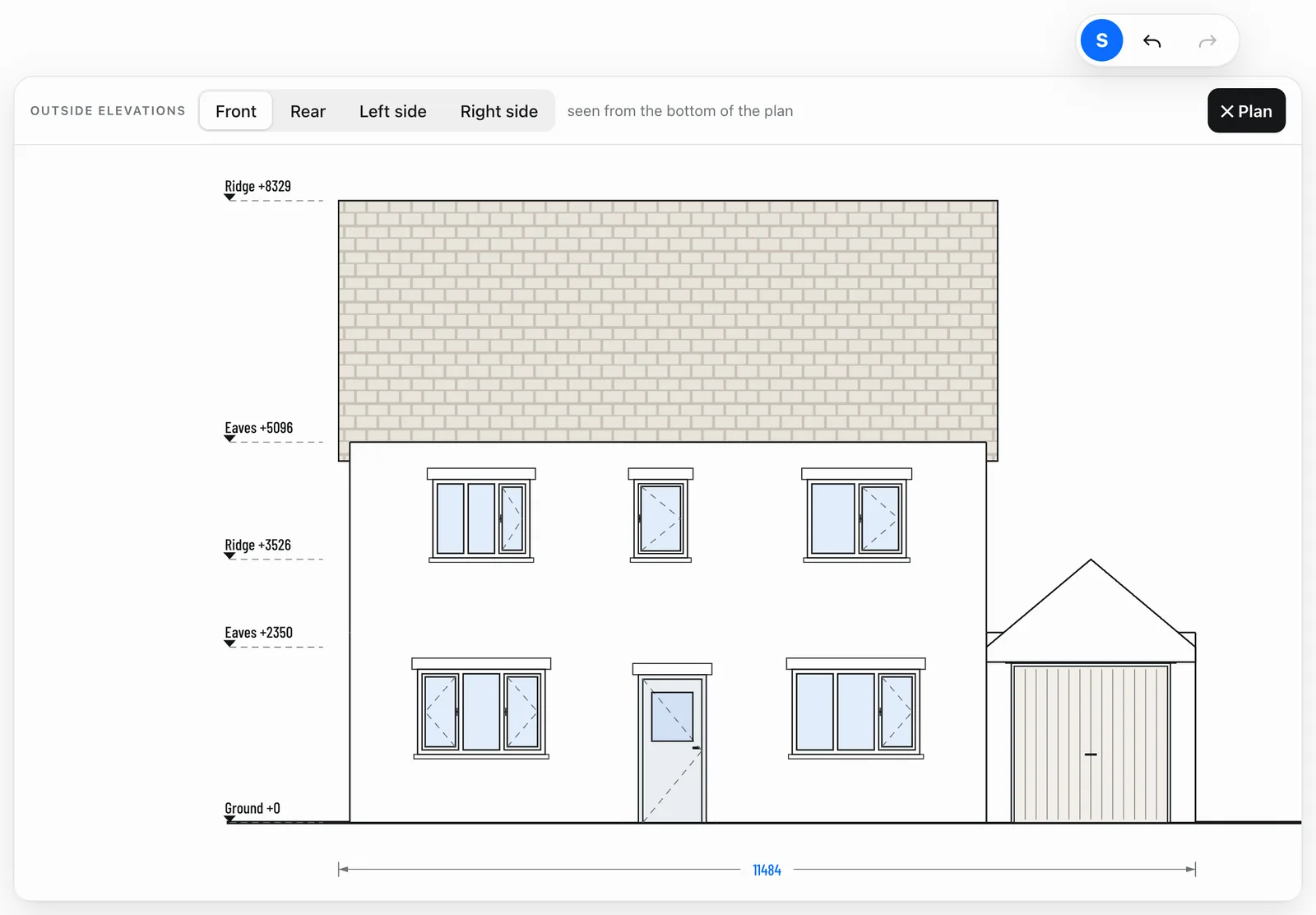
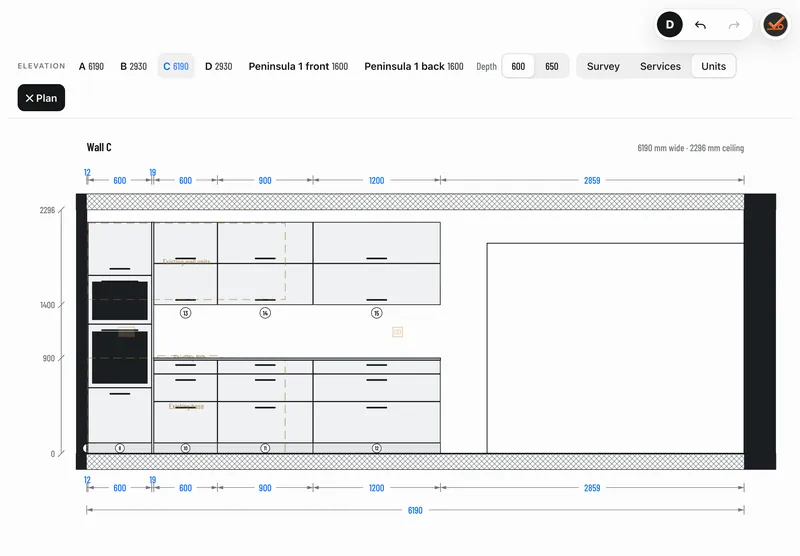
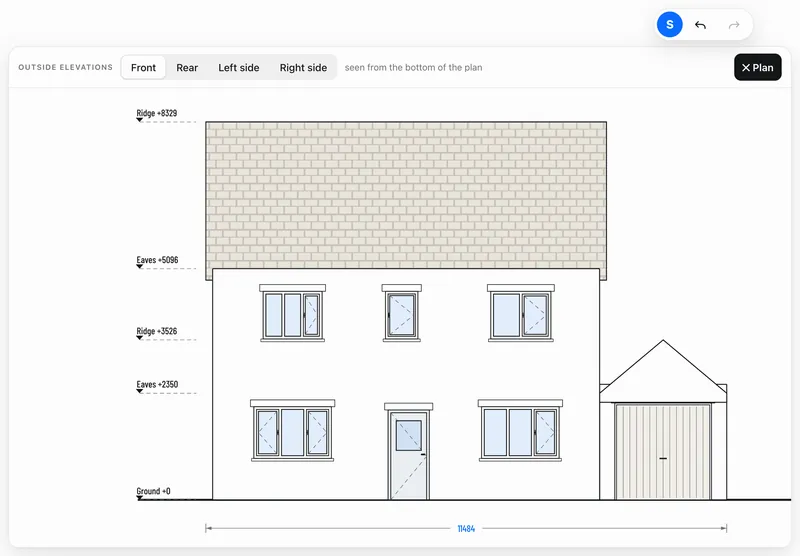
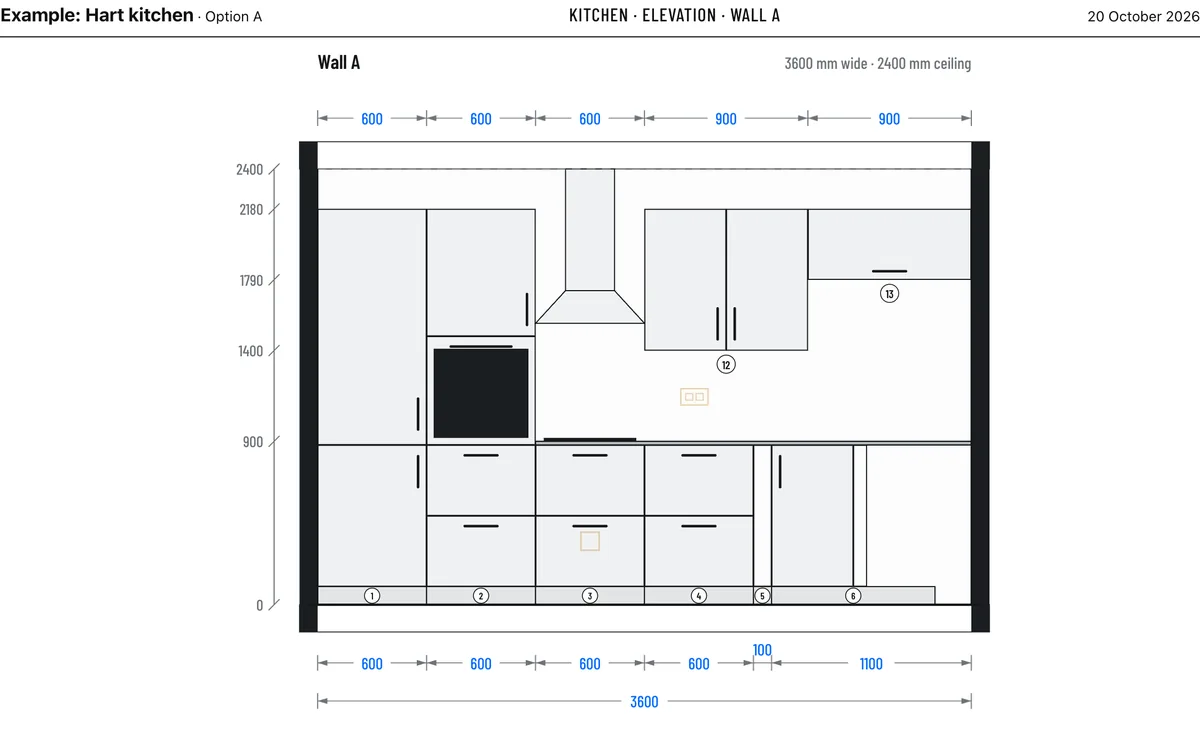
Elevations come straight from the plan. Inside, every wall with its units and openings, dimensioned. Outside, the front, rear and sides with eaves, ridge and ground levels.
3D
Let them walk round it.
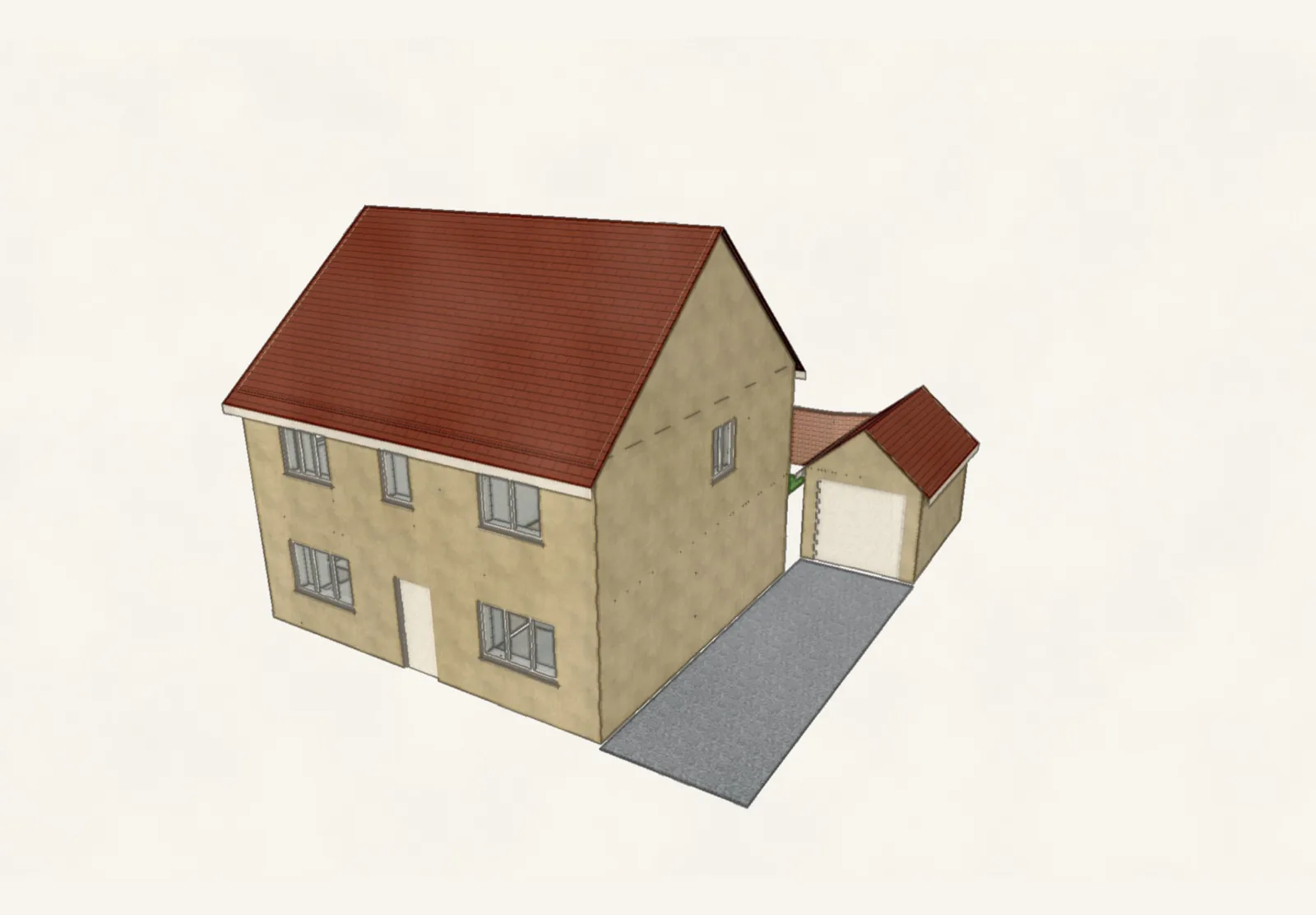
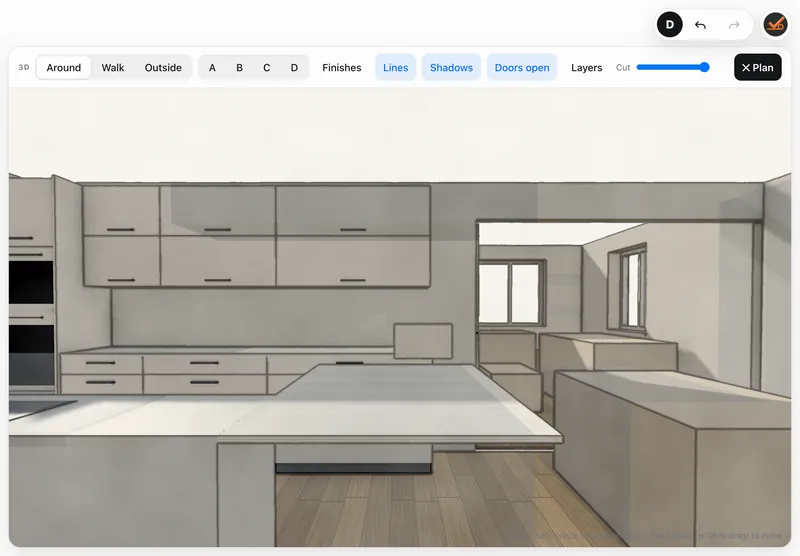
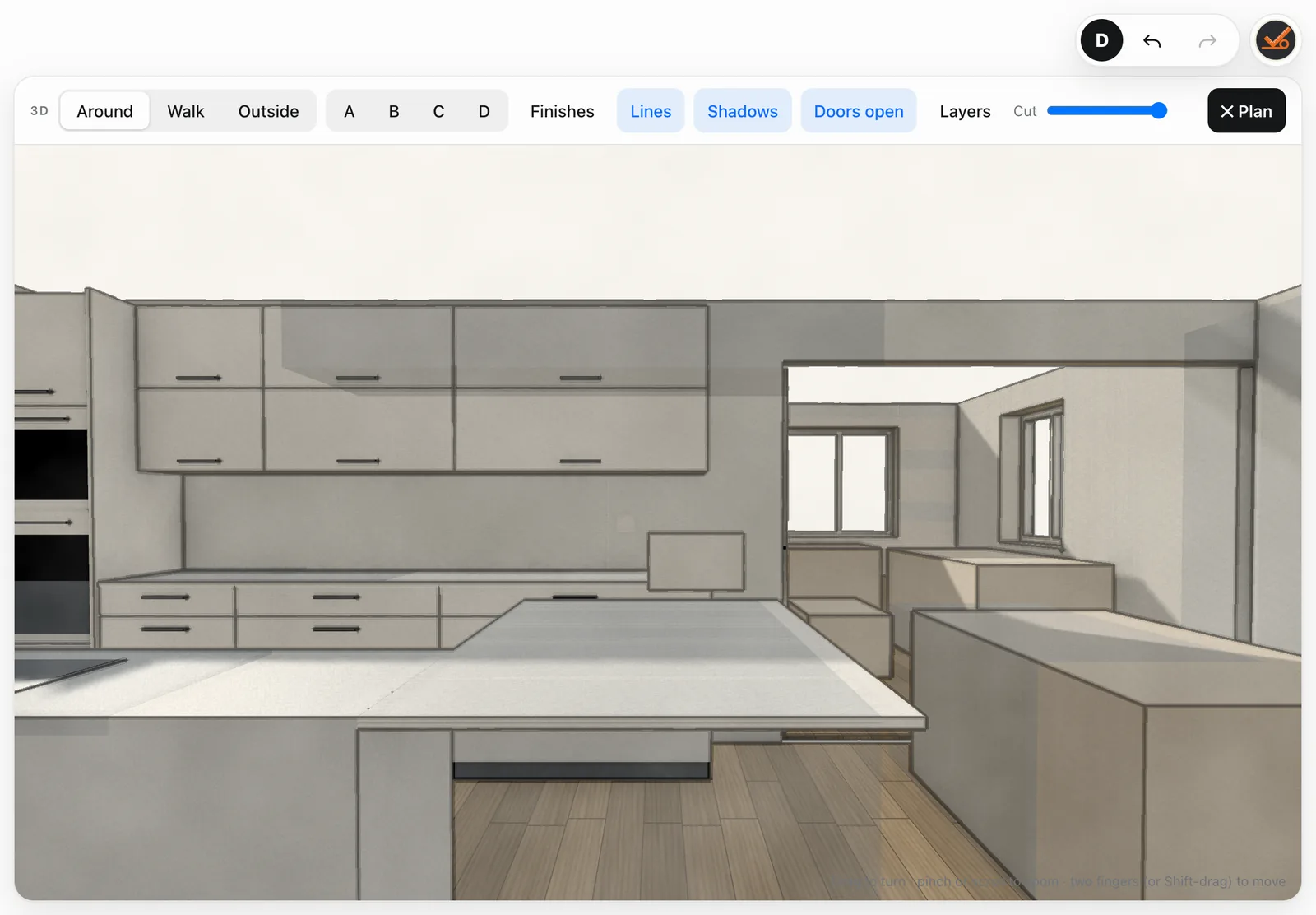
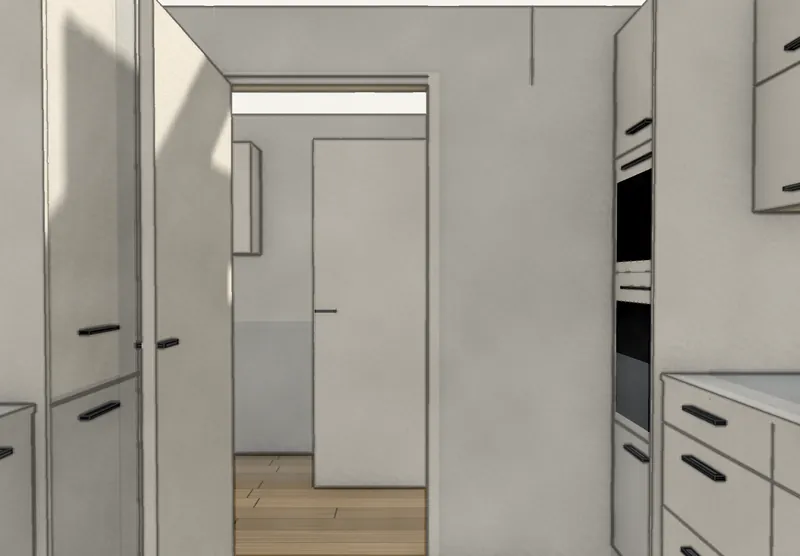
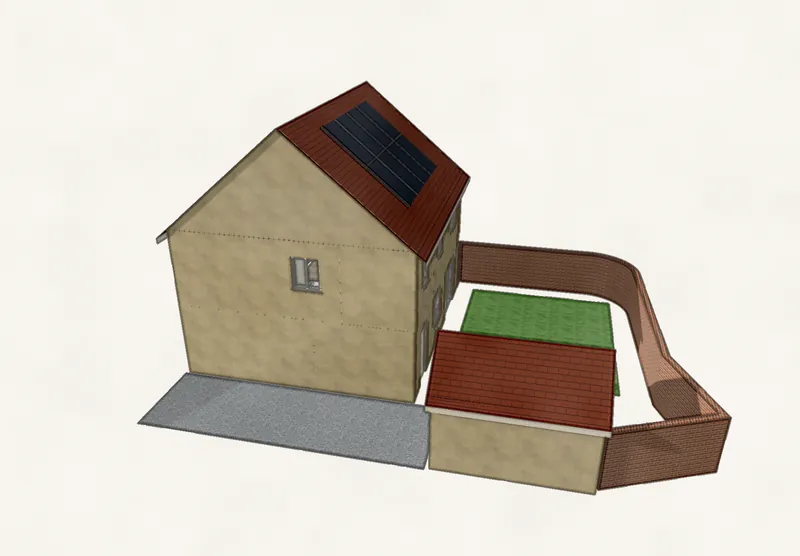
Turn the iPad round so the client can see it. Spin round the room, walk through it, or step outside and see the whole house, with your finishes on the doors, worktops and floor.
Check measure
The final check, in red.
On the final visit the original survey is kept. Anything you measure differently shows in red under the original, so you catch the 15 mm before it's on order, not after.
Hand-over
A sheet the trades can't misread.
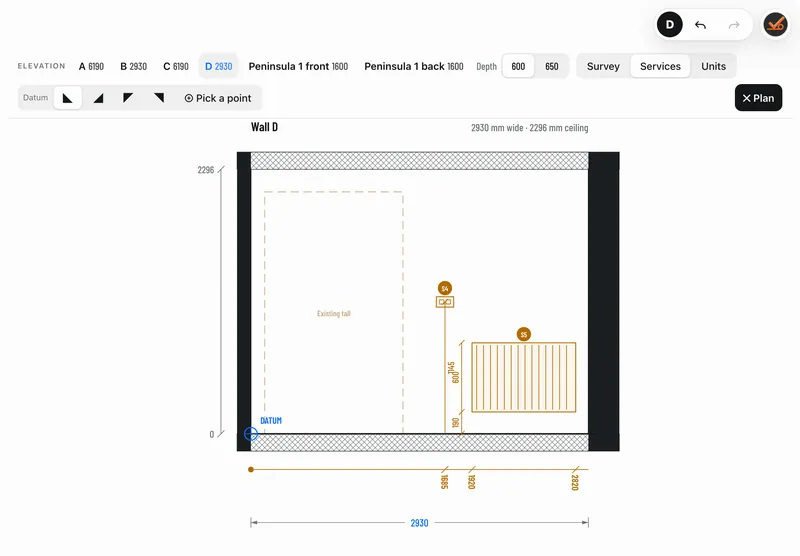
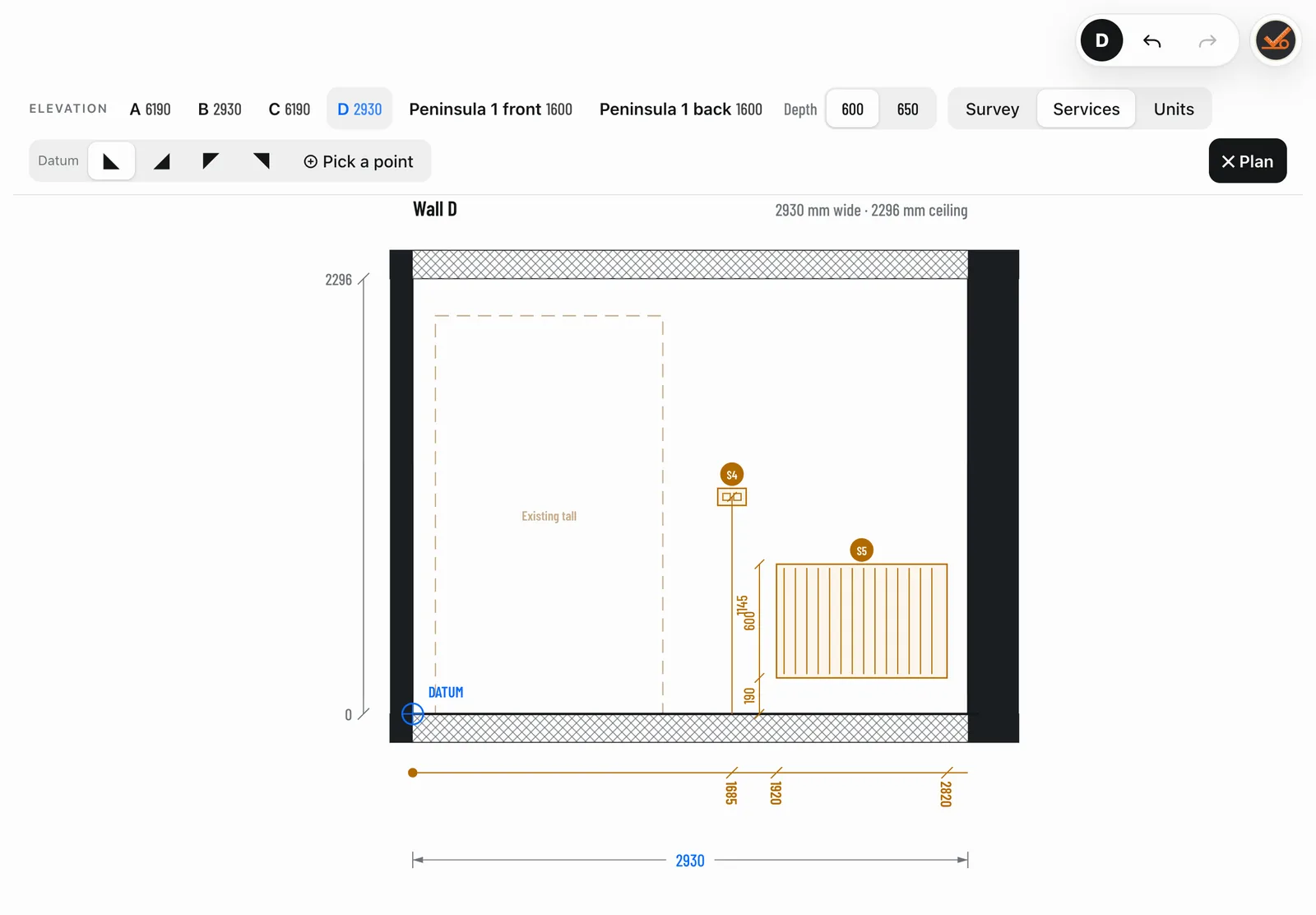
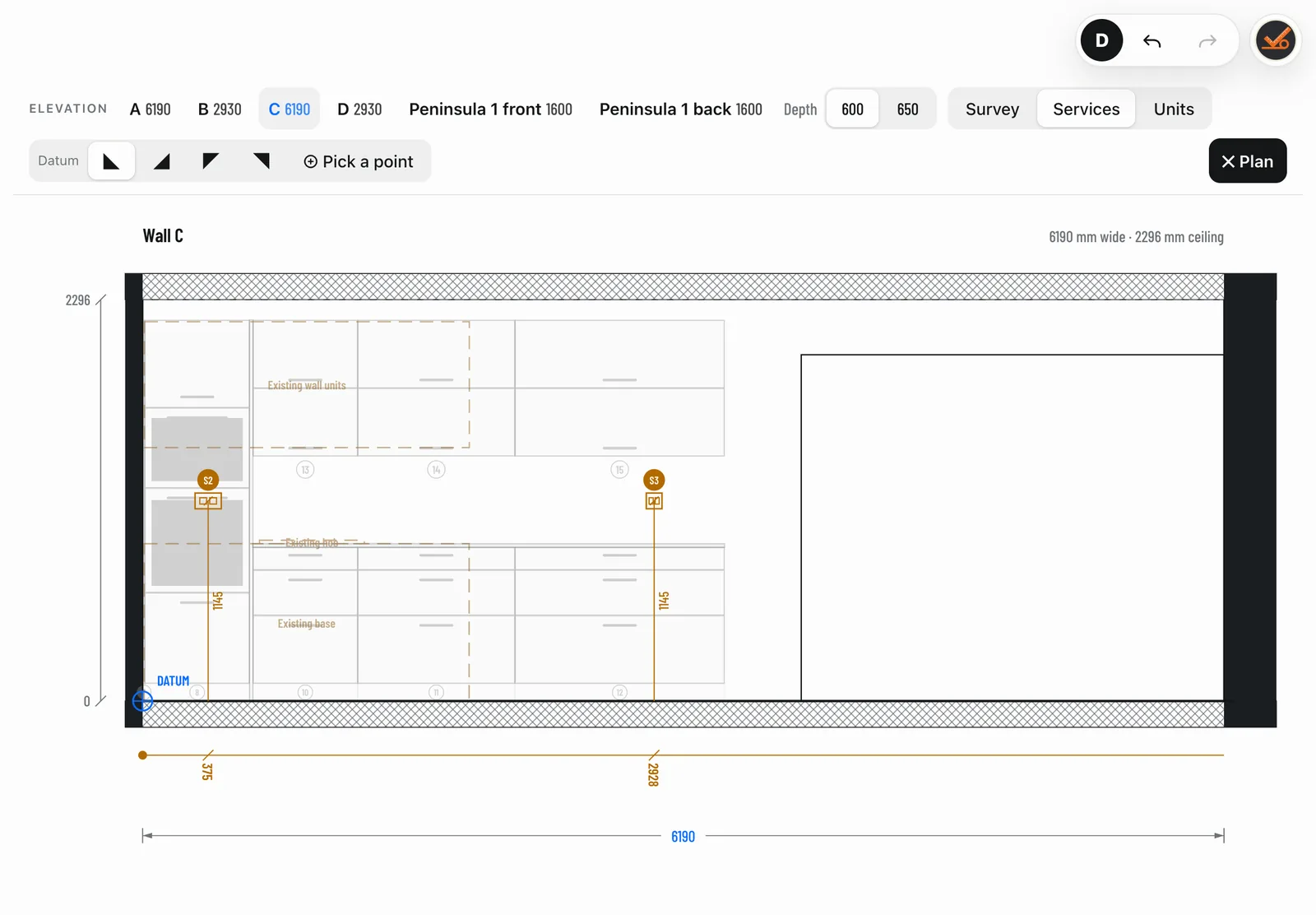
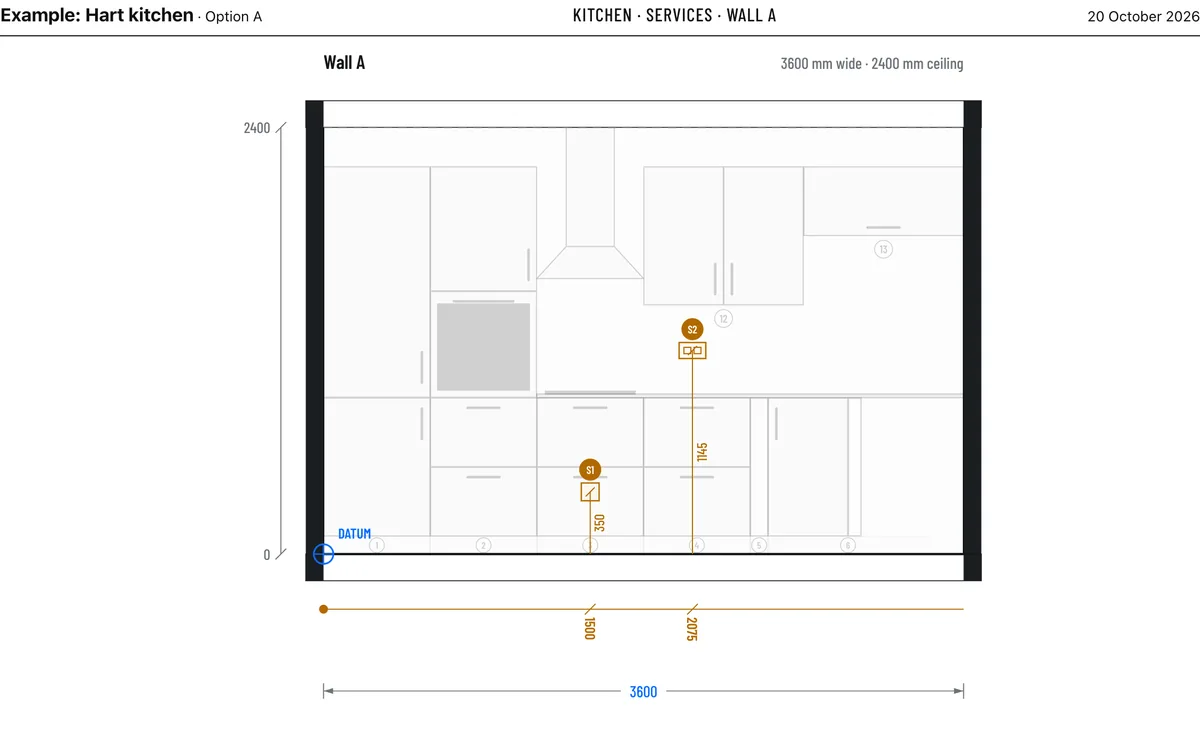
The services sheet sets out every socket, switch and pipe from a datum, with running dimensions and centre heights, numbered S1, S2, S3. Print a survey, design or check measure pack as a PDF, or export DXF for the office.
Views
One drawing. Every view.
Draw it once. The plan, the elevations, the services sheet, the floor plan and the 3D all come from the same measurements.
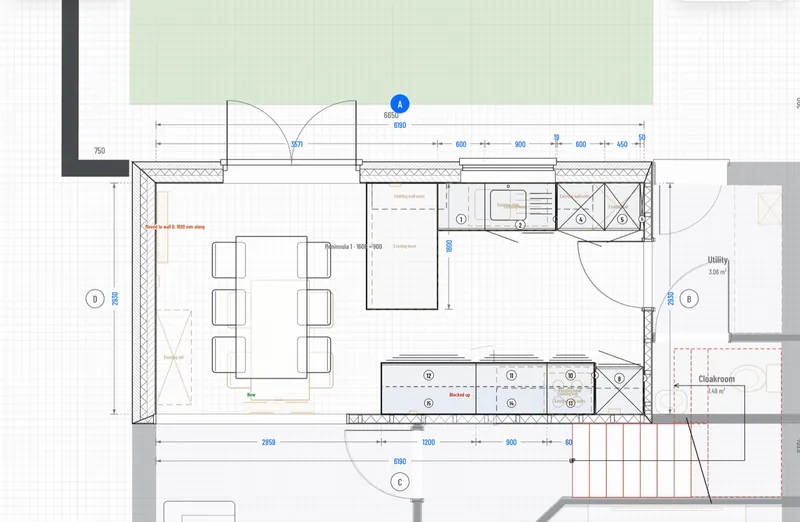
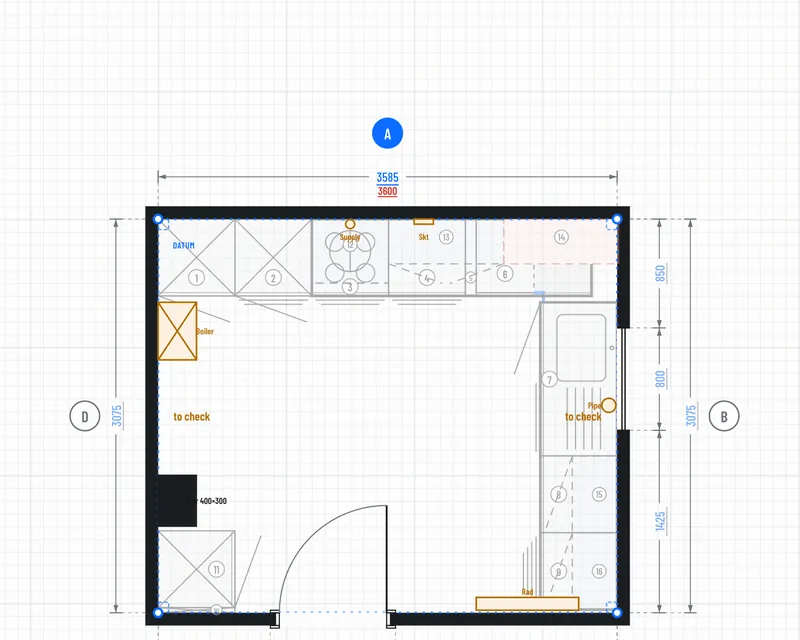
The plan. Every wall dimensioned, every unit numbered.
One real house
Surveyed and designed in Concept to Completion.
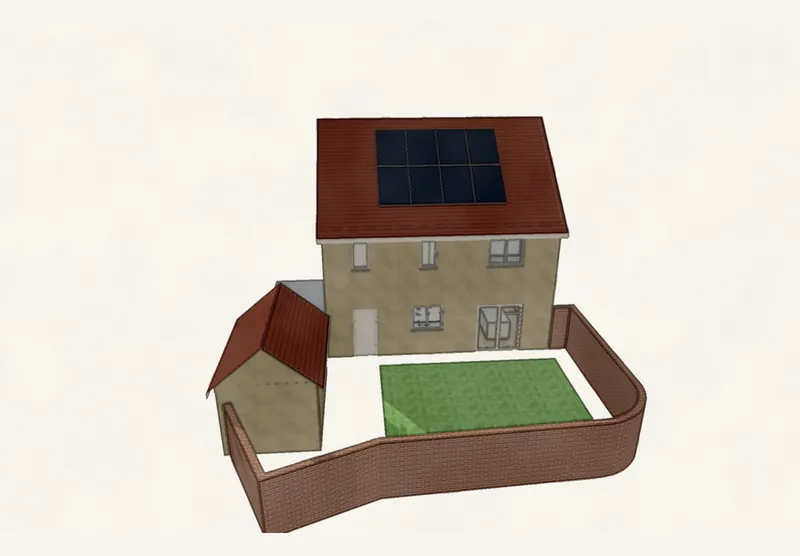
Every picture here comes from one real job: a two-storey house with a garage and garden, measured on site and drawn up on an iPad. Names and address removed.
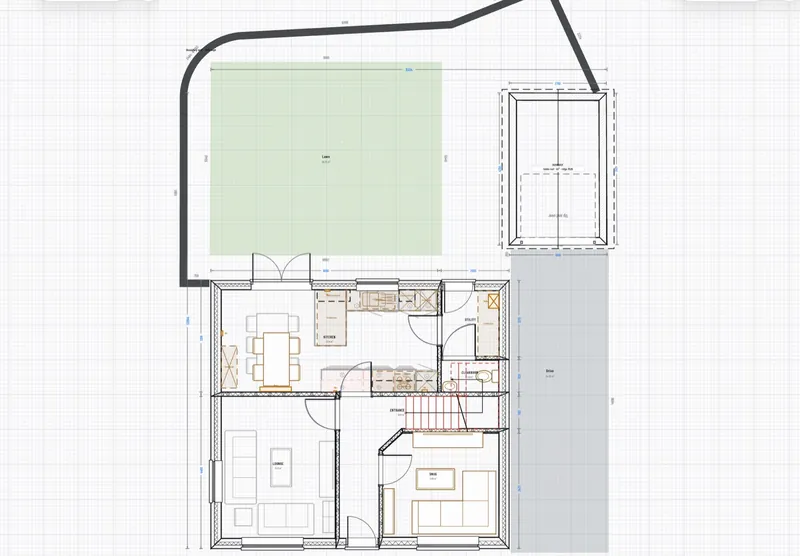
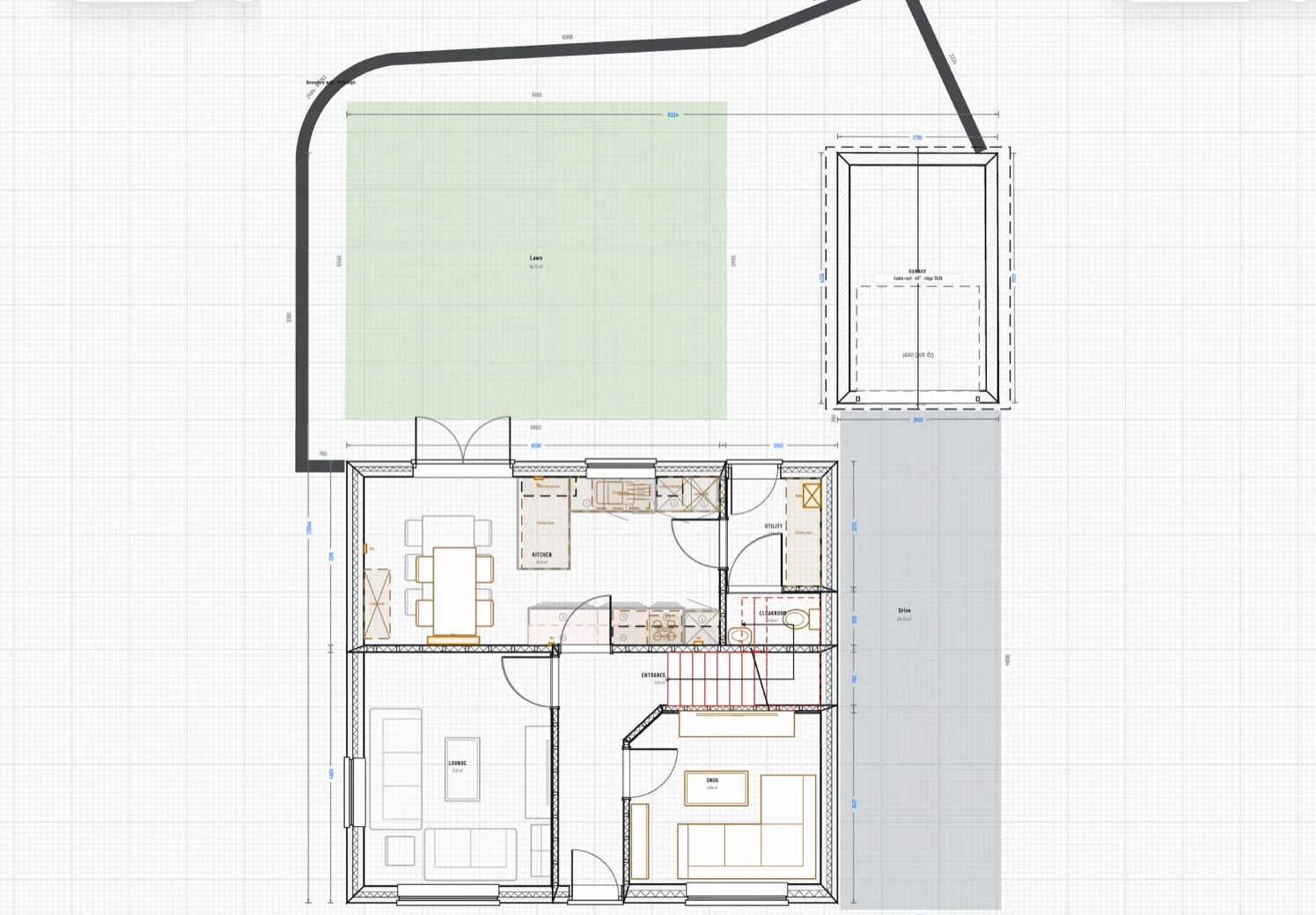
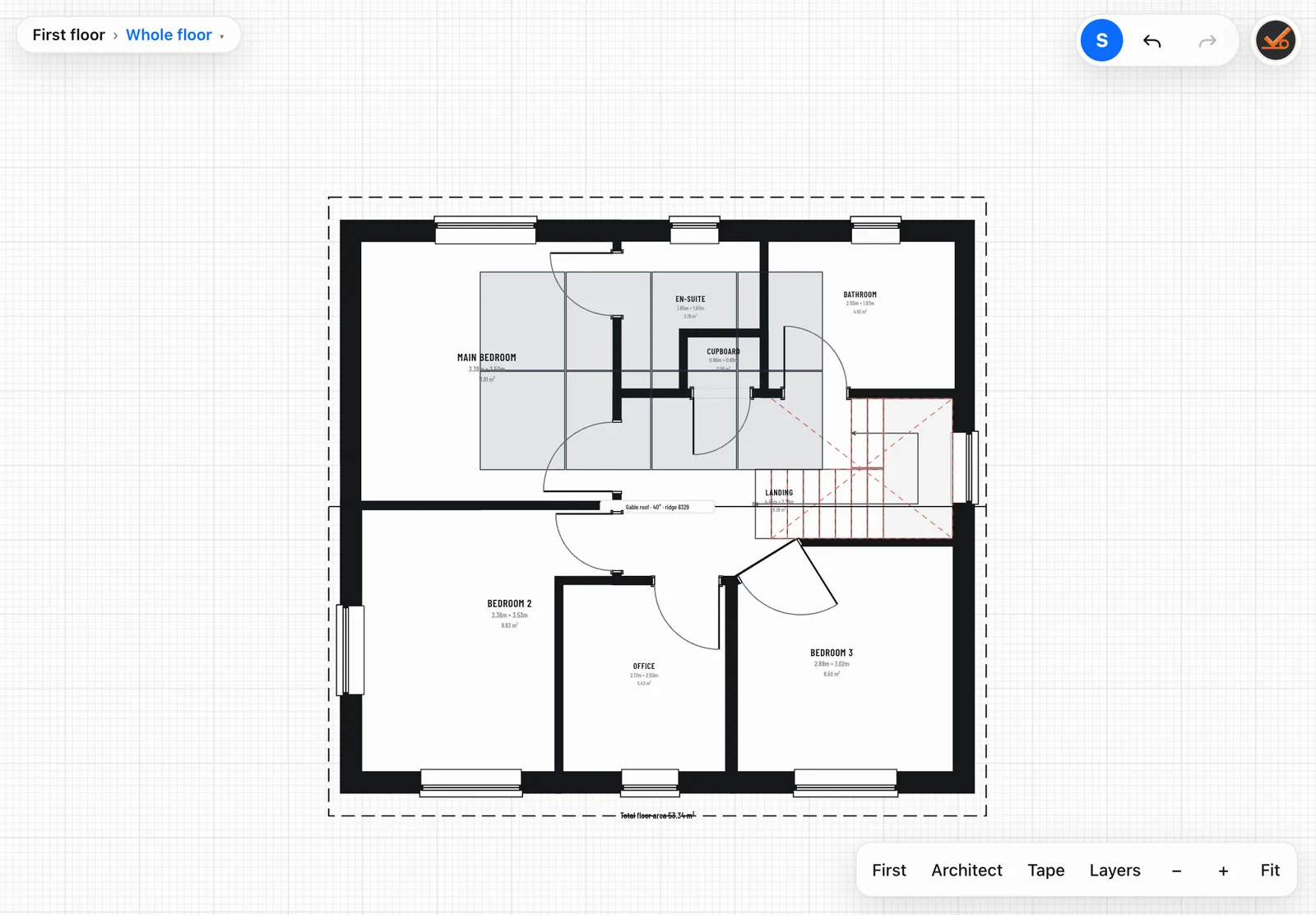
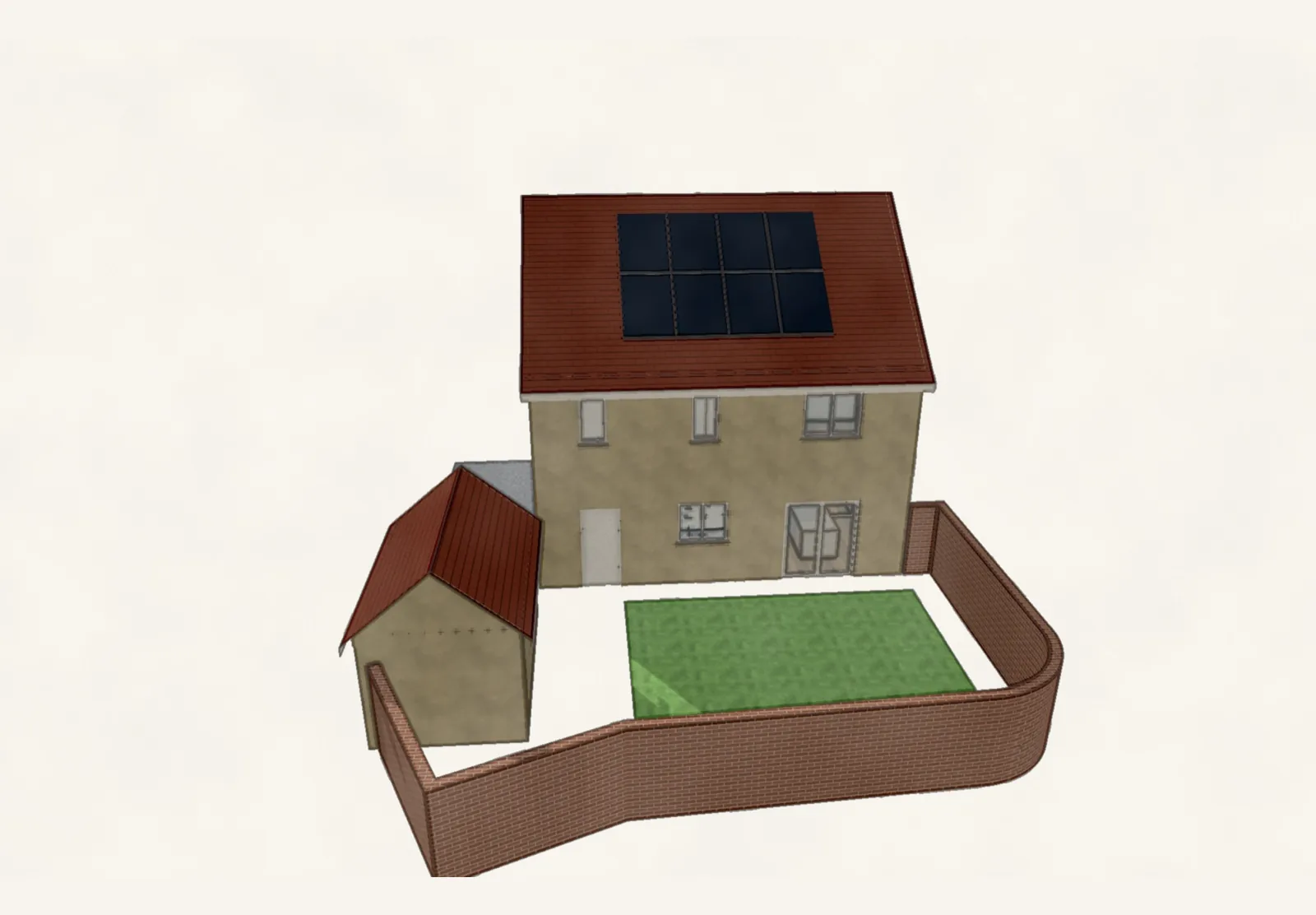
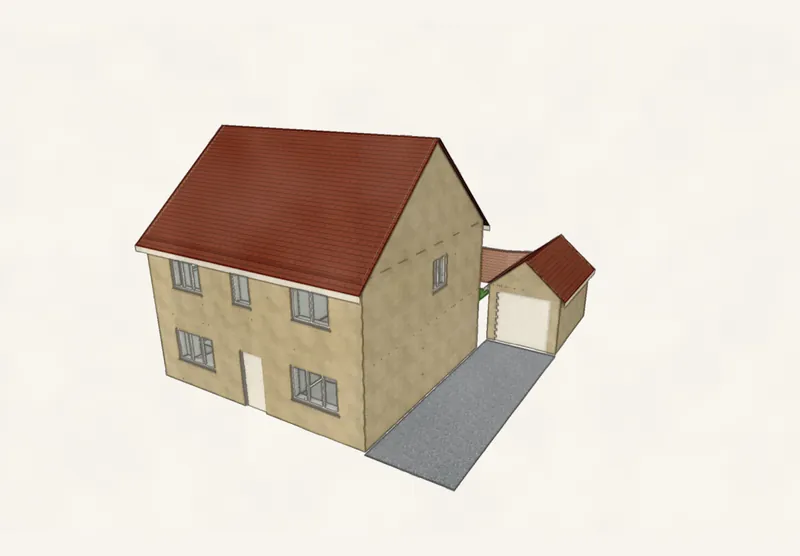
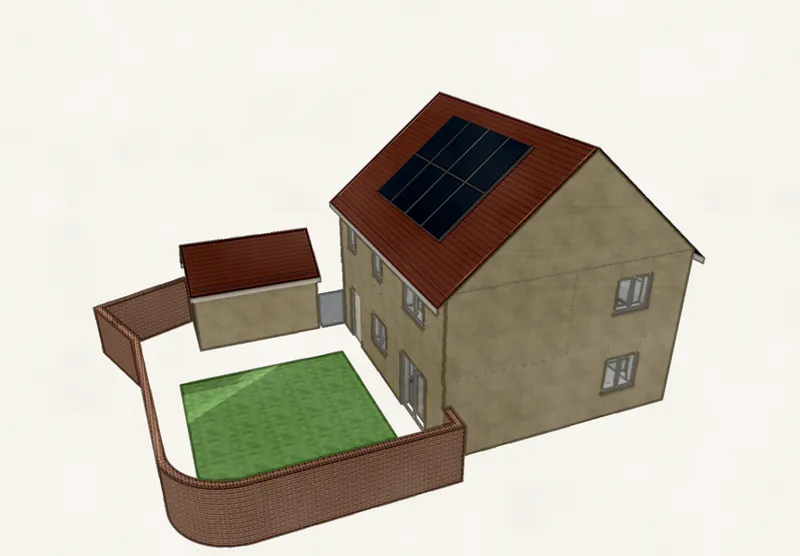
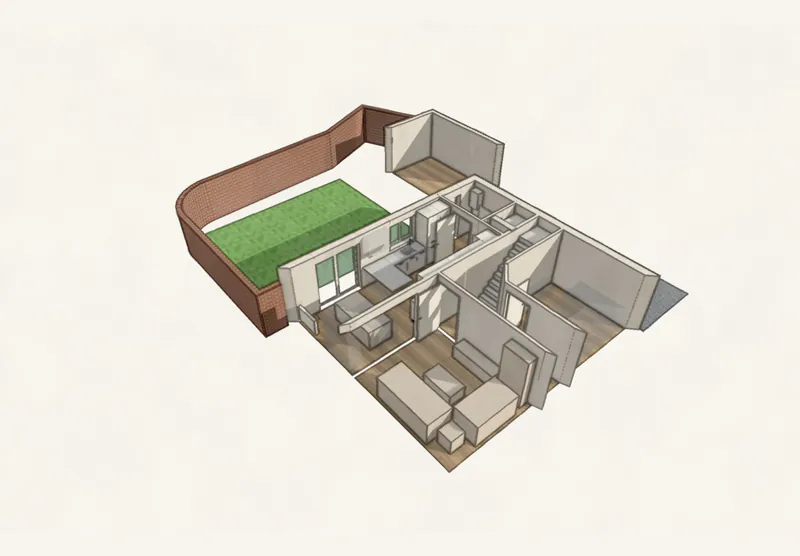
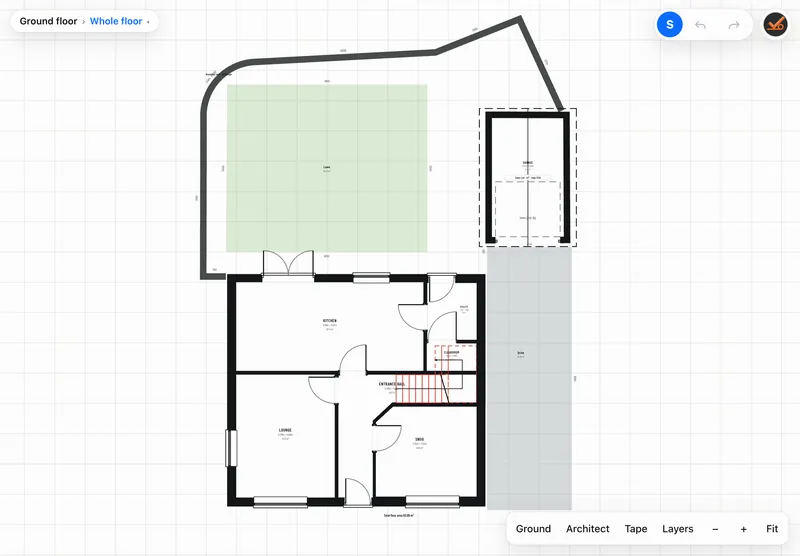
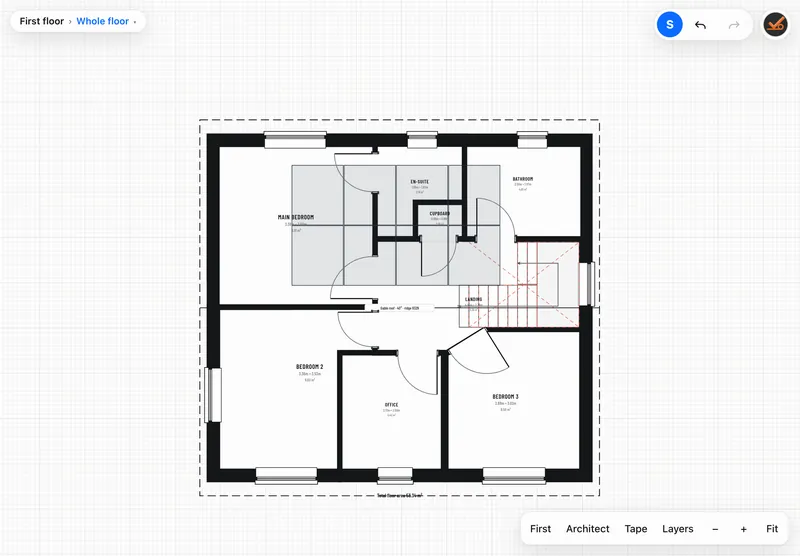
The front. The whole house in 3D, with the garage and drive.The back. Solar panels, the curved garden wall and the lawn.Cut away. The ground floor with its furniture and stairs.Ground floor. Rooms, sizes and areas, with the plot.First floor. Bedrooms, bathroom, office and landing.The survey. The kitchen as it is today, in context.The changes. Moved, blocked up and new, over the survey.The new kitchen. Every wall drawn and dimensioned.Inside. Walk through the new kitchen.For the trades. Services set out from a datum.Outside. Elevations with eaves, ridge and ground levels.Every side. Turn it round with the client.
Features
Built for the job. Not the office.
Catch it before it's ordered.
Check measure keeps the original survey and shows every difference in red.
0
bars of signal needed.
It works offline. Jobs live on the iPad and sync with your RAAIX account when you're back online.
Any manufacturer.
For kitchens, bedrooms and bathrooms, the app knows no maker. Ranges, codes and size rules come from catalogue files, so it works with what you sell.
The whole house. Inside and out.
Every floor, the roof and the plot, in 3D.
PDF+DXF
Ready to send.
Survey, design and check measure packs, or DXF for the office.
Made for a finger.
Big targets, drag to place, a number pad for measurements. It works on a laptop too.
Measurements you can trust.
Typed lengths lock. Clashes, walkways and fixings are checked as you go.
The whole floor. And the plot.
Room names, sizes and areas, with the garden, drive and garage, from the same survey.
Option A. Option B.
Keep layouts side by side, and save versions as the job moves on.
Simple on purpose.
A surveying and design tool, not an ordering system. Every feature earns its place.
On site
Everything you meet on site.
Not just four walls. Concept to Completion surveys the whole building, so every drawing starts from what's really there.
Walls & corners
Lengths as you measure them, diagonals, internal or external, thickness. Typed lengths lock.
Sockets, switches, gas, water, soil and waste, boiler, radiators, core holes, air vents and air bricks.
Structure
Piers, chimney breasts with fireplaces and range recesses, beams and downstands.
Floors & stairs
Every floor of the house, traced from the one below. Straight, landing, winder and spiral stairs.
Roofs
Pitched, hipped, flat, lean-to and more, with eaves heights and coverings.
The plot
Boundaries, fences, hedges, garage, shed, lawn, patio, drive and paths.
Notes
Survey notes on the job, kept with the drawing and printed in the pack.
Hand-over
Paperwork that does the explaining.
Choose a survey pack, a design pack, a check measure pack or everything. A4 landscape, every sheet dimensioned and titled, ready to put in front of a client.
Services setting-out sheet. Every service numbered and set out from a datum, with centre heights, for the trades.
Plans, elevations and 3D views for each room, plus the existing and the proposed side by side.
Unit schedule, checks and notes, so nothing's left to memory.
DXF export when the office wants it in their own CAD.
Who it's for
For anyone who measures, draws and presents.
If you survey a building and have to show a client what happens next, it's built for you. We made it because the tools we had were made for the office, not the client's floor.
Architects & technicians
A measured survey of every floor, the roof and the plot, drawn up on site and ready for the office in DXF.
Structural engineers
Accurate existing plans and elevations, with piers, beams and walls recorded where they really are.
Builders & contractors
Measure the job, show the client the proposed changes and hand clear drawings to the trades.
Kitchen, bedroom & bathroom designers
Survey, design from a manufacturer's catalogue and agree the layout on one visit.
Joiners & installers
Check measures that flag every difference, so nothing is made or fitted to the wrong size.
Surveyors
Fast, dimensioned surveys with services, openings and structure, printed as a tidy pack.
Built by RAAIX
Our idea. Our software. Our own technology.
Concept to Completion isn't a licensed CAD engine with a new badge on it. RAAIX designed it, built it and runs it, from the first sketch to the software on your iPad.
01
Our own drawing engine.
Every wall, dimension, elevation and setting-out sheet is drawn by code we wrote. No off-the-shelf CAD underneath.
02
Designed by people who measure.
Locked measurements, joined rooms, check measure in red: every rule comes from real surveys on real sites.
03
Our own catalogue format.
Manufacturers' ranges are data files in a format we defined, so the app stays neutral and grows with your trade.
04
Built to connect.
Because we build it, it can join up with the rest of RAAIX, starting with DesBu.
An iPad is best, with Safari. It also runs in a browser on a laptop. Add it to your home screen and it opens like an app.
Does it work without signal?
Yes. Once it's on your device it works offline. Jobs are saved on the device and sync with your RAAIX account when you're back online.
Is it just for kitchens?
No. It surveys and draws any building: every room, floor, roof and the plot. Kitchens, bedrooms and bathrooms get extra help, with units from manufacturers' catalogue files. It's manufacturer-neutral, and a catalogue can be imported.
Can it do quotes?
Not yet. Today it gives you the survey and professional drawings to present. Take-off measurements and a link with DesBu are coming next, so lengths, areas and counts flow straight into a quote.
Does it do structural calculations?
No. It's for surveying and presenting drawings. Structural design stays with your engineer.
Who can see my jobs?
Only you. Each account can only reach its own jobs. See the privacy notice.
What happens after testing?
Concept to Completion becomes a subscription, with apps in the App Store and Google Play. We'll tell testers before anything changes.